
Powerful document manager
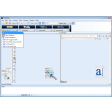
PaperPort is a document utility app for Windows that helps you organize, edit, and share digital files, especially scanned documents. It's a handy tool for people and businesses, making it easy to turn paper documents into neat digital formats. This way, you can work more efficiently and keep things running smoothly.
Top Recommended Alternative

PaperPort streamlines everyday document handling by combining scanning, organization, and sharing tools in one intuitive platform. Designed to reduce clutter and save time, it helps users quickly find, manage, and convert files, improving productivity and creating a more efficient, paperless workflow for both personal and professional use.
Efficient and convenient
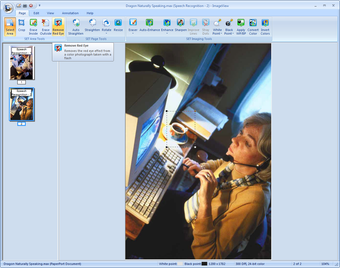
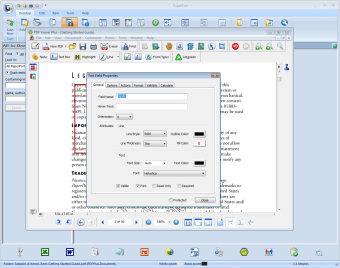
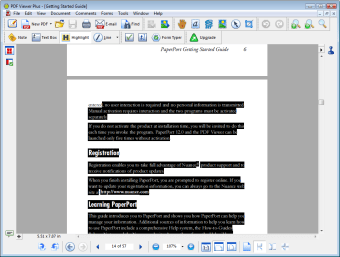
PaperPort offers many robust features, including editing tools for annotating and highlighting files. It includes components like PDF Viewer Plus and PDF Create 7, ensuring compatibility with various file formats. Built-in sharing options facilitate easy collaboration and secure file distribution, making it a comprehensive digital document hub for most users.
Users should note that the installation complexity of the program, as it must be installed on a local hard disk and cannot run from a mapped drive, limits certain business setups. Additionally, a new version requires uninstalling previous versions, which can be cumbersome and may require a system reboot afterward.
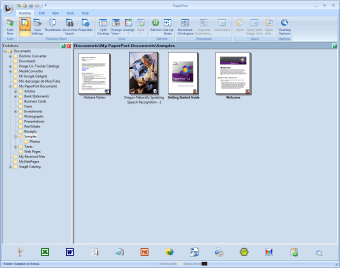
Despite its installation quirks, the program remains a reliable solution for everyday document management. Its structured interface lets users organize files, apply searchable tags, and optimize scanned documents for better clarity and text recognition. Available in multiple versions — Professional for full features, Standard for basic home or small office use, and Anywhere for secure cloud access — it adapts to different needs while streamlining digital workflows efficiently.
A standard in document management
In summary, PaperPort enhances productivity by streamlining the organization and sharing of digital files, particularly scanned documents. While it boasts powerful features and an intuitive interface, users should be aware of its complex installation requirements and limitations regarding mapped drives. Overall, it remains a valuable tool for efficient document handling.